On iOS 27 and iPadOS 27, your app's spot in App Store search no longer has to show your screenshots. You can upload a search results asset, an image or video made for that one place. This page covers the exact size, the safe area, and what to put in it.
The short answer: a search results asset is 3:2, from 1920 × 1280 to 3840 × 2560 pixels, JPEG or PNG with no transparency. At full size, keep everything that matters inside the centered 2168 × 1030 art safe area. A 5–30 second video works too, but it always plays muted.
What the search results asset is #
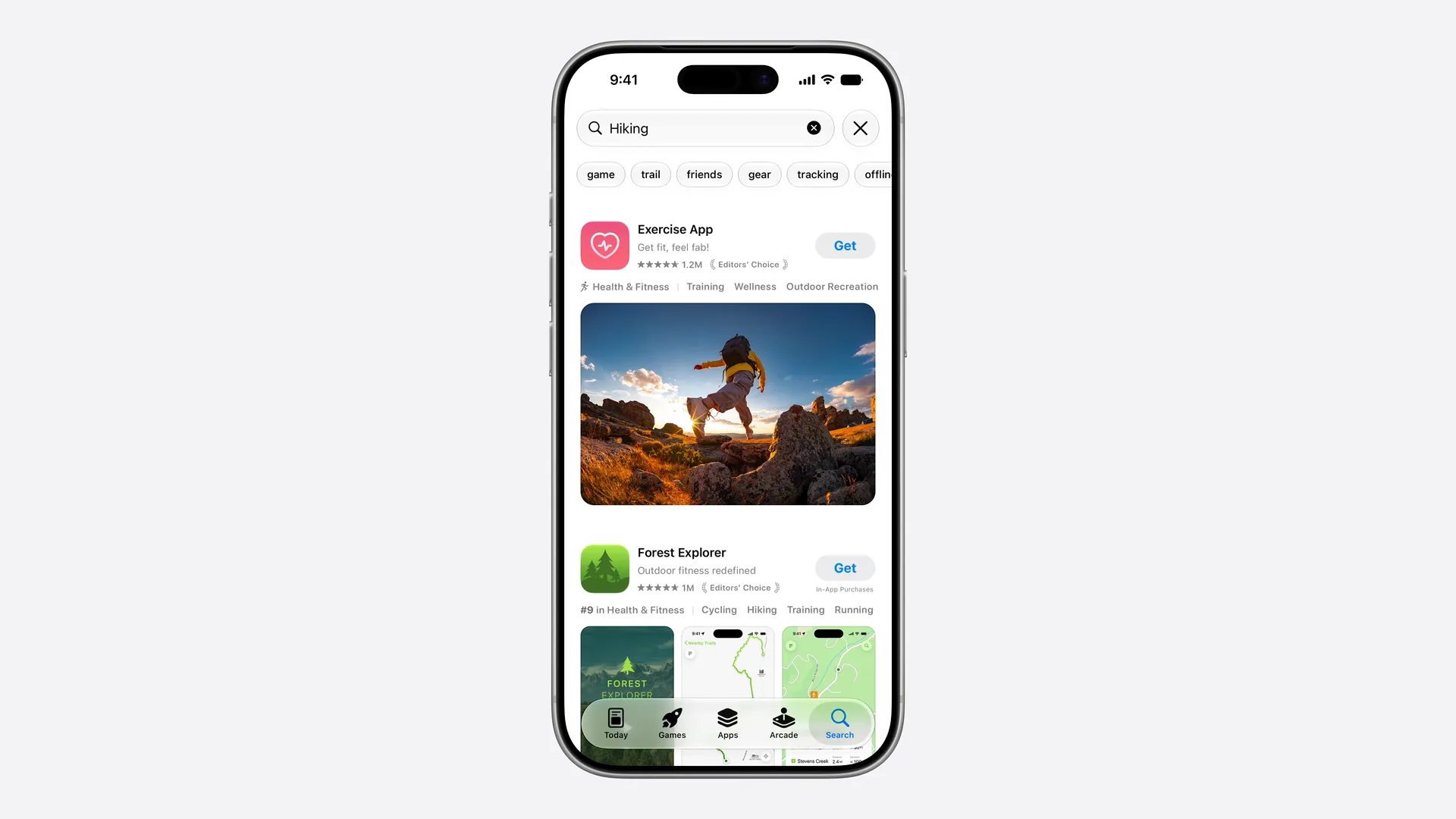
When someone searches the App Store, each result shows your icon, name and a visual. Until iOS 27 that visual was your screenshots or app preview. Now it can be a search results asset instead.
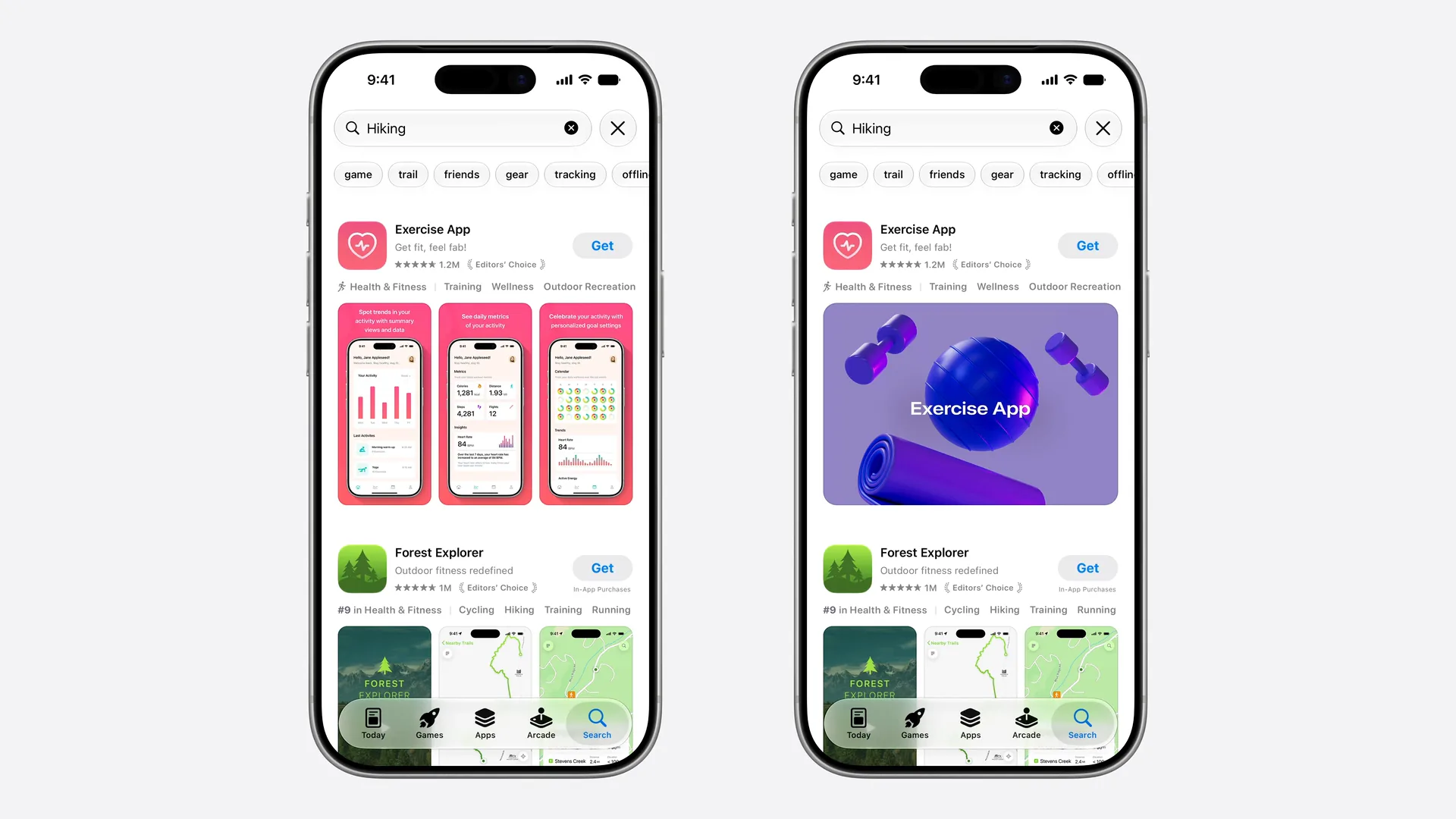
It's one of three creative assets, with the product page header and the universal asset that can fill both. The WWDC26 overview explains how they fit together.
Where it shows #
- App Store search results on iOS 27 and iPadOS 27 or later, in place of your screenshots.
- Keyword-specific results. A Custom Product Page can be shown for chosen keywords, and each Custom Product Page can have its own search asset.
- When your app is featured, where Apple uses creative assets.
If you don't upload one, search keeps showing your In-App Events, app previews and screenshots. People on iOS 26 or older always see those.
Search results asset size #
| Image | Video | |
|---|---|---|
| Size | 1920 × 1280 to 3840 × 2560 pixels | 1920 × 1280 to 3840 × 2560 pixels |
| Aspect ratio | 3:2 | 3:2 |
| Format | .jpeg, .jpg or .png | .mov, .m4v or .mp4 |
| Frame rate | — | 30 or 60 fps |
| Length | — | 5 to 30 seconds |
| Other rules | No alpha channel or transparency | Loops; always muted in search |
Unlike the header, this is a range: any 3:2 size between the minimum and the maximum works. Design at 3840 × 2560 and export smaller only if file size is a problem. You can also use a 5244 × 2950 PNG universal asset here. Sizes are from Apple's creative assets specifications, checked on October 21, 2026.
The search results safe area #
Apple doesn't print safe area numbers in its documentation; they're drawn in its search results templates for Photoshop and Pixelmator. Here is the template's art safe area to scale:
Search results 3:2
3840 × 2560 px (min 1920 × 1280)
Safe area 2168 × 1030, 56% × 40% of the canvas
| At 3840 × 2560 | At 1920 × 1280 | |
|---|---|---|
| Art safe area | 2168 × 1030 | 1084 × 515 |
| Top-left corner | x 836, y 765 | x 418, y 383 |
| Share of canvas | 56% of the width, 40% of the height | same |
| Position | Centered both ways | Centered both ways |
The box is wider than it is tall, about 2.1:1, inside a 3:2 canvas. Expect the top and bottom to be cut the most.
What to put in it #
Search is where people compare apps side by side, so Apple's advice for this asset is different from the header's. From Apple's asset guidance:
- State the obvious. People searched for something specific. Make it clear at a glance what your app does.
- Show the real thing. The interface, your content or gameplay, so people can tell whether it's what they're looking for.
- Keep text short and inside the safe area, translated for every language you support. Results are small, so a short phrase in large type beats a sentence.
- Same restrictions as the header: no prices, discounts, URLs, copyright symbols, other platforms or Apple awards, and 4+ content.
- For video: it never plays with sound in search, so it has to work silently, start strong and loop cleanly.
A good starting point is your first screenshot. It already shows your core value; the search asset lets you show it bigger, without the phone-shaped frame.
How to upload it #
Add it to an app version and submit the version, or upload it to Asset Library and submit it for review on its own. Once approved, you can switch your search results asset and publish without a new submission. Use Preview in App Store Connect to check it on iPhone and iPad first.
Apple suggests using the same asset for a page's search result and its header, so the page looks the same after the tap. The universal asset does exactly that with one file.